#FactCheck: 2023 Manipur Violence Video Falsely Shared as Indian Army Bombing Minority House
Executive Summary
A video showing a house collapsing after a massive explosion is being widely shared on social media with the claim that it shows the Indian Armed Forces bombing the house of a minority community in Manipur. CyberPeace Research Wing ’s research found that the claim is false. The viral video dates back to 2023 and shows a house being demolished in Churachandpur during the ethnic violence between the Kuki and Meitei communities in Manipur.
Claim:
An X (formerly Twitter) user shared the video with the caption: “This is Manipur, not Palestine. The Indian Army is destroying minority houses in Manipur.”
The post claimed that the visuals showed the Indian Army carrying out an attack on minority community houses in Manipur.
https://www.facebook.com/reel/1042491035382024

Fact Check:
To verify the claim, CyberPeace Research Wing conducted a reverse image search using keyframes extracted from the viral video. During the search, we found the same video shared by NDTV’s official Instagram account on July 21, 2024.
According to the caption of the post, the video was from 2023, when ethnic clashes broke out between the Kuki and Meitei communities in Manipur. The post stated that the incident took place in Churachandpur, where the house of Naorem Ibomcha Meitei was destroyed by the Kuki community during the violence.
https://www.instagram.com/reels/C9sQWeTSCFx/

Further research revealed that India Today had also shared the same video with similar details
https://www.instagram.com/reels/C9sRq1nSy51/

Conclusion:
The research found that the viral video is being circulated with a misleading claim. The footage does not show the Indian Armed Forces bombing a minority community’s house in Manipur. It is from 2023 and shows the demolition of a house in Churachandpur during the ethnic violence between the Kuki and Meitei communities.
Related Blogs

Introduction:
With improved capabilities and evasion strategies, the Vultur banking Trojan has reappeared and is a serious danger to Android users. The virus now employs numerous encrypted payloads, encrypted communication, and poses as legitimate apps. It is transmitted by trojanized dropper programs on the Google Play Store. Vultur targets victims via phone calls and SMS messages. With the help of this updated version of Vultur, attackers may take total control of compromised devices. They can perform a variety of remote control operations like install, remove, upload, and download files, halt the execution of programs, and circumvent the lock screen. The virus is now far more hazardous than it was previously because of its improved capacity to remotely access and manipulate machines.
Overview:
The Android banking malware Vultur is well-known for its ability to record screens. It was first identified by ThreatFabric in March 2021 and targets banking apps for remote control and keylogging.
The malicious apps were hosted on the Google Play Store by the Brunhilda dropper-framework, which was used for its distribution. Initial versions of the program used reputable remote access tools such as ngrok and AlphaVNC.
Hybrid attacks have been used in recent operations to disseminate the Brunhilda dropper via phone calls and SMS. The dropper uses a number of payloads to distribute an upgraded version of Vultur.
41 new Firebase Cloud Messaging (FCM) commands and seven new Command-and-Control (C2) methods are included in the most recent version of Vultur.
With the help of Android's Accessibility Services, these enhancements concentrate on remote access functionality that improves the malware's capacity to communicate with the victim's screen.
Modus operandi of Attack:
Hybrid Attack Method:
- Utilizes a phone call, two SMS messages, and trick users into installing malware.
- First SMS tricks victims into calling a certain number by claiming to have made significant, unlawful transactions, which gives the impression of urgency.
- Although there was no transaction in reality, the urgency motivates victims to act quickly.
Trozonized MacAfee App:
- The victims are told to install a trojanized version of the McAfee Security program from a given link during the phone call.
- This app looks harmless and has features similar to the original McAfee Security app, but it's actually the Brunhilda dropper.
- The victims are misled into assuming that the security software they are installing is authentic.
Execution of Vultur Payloads:
- Three payloads connected to Vultur are decrypted and executed via the Brunhilda dropper.
- Threat actors can carry out a variety of malicious operations, including keylogging and screen recording, on the victim's mobile device thanks to these payloads, which grant them total access over it.
- The infected device of the victim allows the threat actors to launch additional assaults or obtain private data.
Indication of the attack:
The symptoms of a Vultur banking Trojan infection include:
- Remote Access: This malware gives the hacker the ability to remotely use the infected device via clicking, scrolling, and swiping through Android's accessibility services.
- File Management: Through this, the malware is able to copy, share, remove, create, and locate files from devices it has infected.
- App Blocking: For instance; the malicious software can be programmed to stop the victims from opening a certain bunch of apps.
- Custom Notifications: Attackers can embed the malware with the functionality of displaying the customized notifications in the taskbar.
- Keyguard Disabling: The malware may be designed to turn off Screen Lock Guard feature so the lock screen security measure can be easily bypassed.
- Encrypted C2 Communication: The malware chooses AES data encryption, with Base64 text encoding to provide hidden traces for C2 communication.
- Payload Decryption: The malware uses native code, mostly written in C as well as C++, to decode the goods, thus, making a process of reversing more complicated.
- Spying on Financial Apps: The malware uses screen-streaming and keylogging as ways of acquiring facts about the victim’s mobile banking applications.
Indicator of Compromise:
File hash (SHA-256)
- edef007f1ca60fdf75a7d5c5ffe09f1fc3fb560153633ec18c5ddb46cc75ea21
- 89625cf2caed9028b41121c4589d9e35fa7981a2381aa293d4979b36cf5c8ff2
- 1fc81b03703d64339d1417a079720bf0480fece3d017c303d88d18c70c7aabc3
- 4fed4a42aadea8b3e937856318f9fbd056e2f46c19a6316df0660921dd5ba6c5
- 001fd4af41df8883957c515703e9b6b08e36fde3fd1d127b283ee75a32d575fc
- fc8c69bddd40a24d6d28fbf0c0d43a1a57067b19e6c3cc07e2664ef4879c221b
- 7337a79d832a57531b20b09c2fc17b4257a6d4e93fcaeb961eb7c6a95b071a06
- 7f1a344d8141e75c69a3c5cf61197f1d4b5038053fd777a68589ecdb29168e0c
- 26f9e19c2a82d2ed4d940c2ec535ff2aba8583ae3867502899a7790fe3628400
- 2a97ed20f1ae2ea5ef2b162d61279b2f9b68eba7cf27920e2a82a115fd68e31f
- c0f3cb3d837d39aa3abccada0b4ecdb840621a8539519c104b27e2a646d7d50d
- 92af567452ecd02e48a2ebc762a318ce526ab28e192e89407cac9df3c317e78d
- fa6111216966a98561a2af9e4ac97db036bcd551635be5b230995faad40b7607
- dc4f24f07d99e4e34d1f50de0535f88ea52cc62bfb520452bdd730b94d6d8c0e
- 627529bb010b98511cfa1ad1aaa08760b158f4733e2bbccfd54050838c7b7fa3
- f5ce27a49eaf59292f11af07851383e7d721a4d60019f3aceb8ca914259056af
- 5d86c9afd1d33e4affa9ba61225aded26ecaeb01755eeb861bb4db9bbb39191c
- 5724589c46f3e469dc9f048e1e2601b8d7d1bafcc54e3d9460bc0adeeada022d
- 7f1a344d8141e75c69a3c5cf61197f1d4b5038053fd777a68589ecdb29168e0c
- fd3b36455e58ba3531e8cce0326cce782723cc5d1cc0998b775e07e6c2622160
- 819044d01e8726a47fc5970efc80ceddea0ac9bf7c1c5d08b293f0ae571369a9
- 0f2f8adce0f1e1971cba5851e383846b68e5504679d916d7dad10133cc965851
- fb1e68ee3509993d0fe767b0372752d2fec8f5b0bf03d5c10a30b042a830ae1a
- d3dc4e22611ed20d700b6dd292ffddbc595c42453f18879f2ae4693a4d4d925a
- f4d7e9ec4eda034c29b8d73d479084658858f56e67909c2ffedf9223d7ca9bd2
- 7ca6989ccfb0ad0571aef7b263125410a5037976f41e17ee7c022097f827bd74
- c646c8e6a632e23a9c2e60590f012c7b5cb40340194cb0a597161676961b4de0
Command and Control Servers
- safetyfactor[.]online
- cloudmiracle[.]store
- flandria171[.]appspot[.]com (FCM)
- newyan-1e09d[.]appspot[.]com (FCM)
Droppers distribution URL’s
- mcafee[.]960232[.]com
- mcafee[.]353934[.]com
- mcafee[.]908713[.]com
- mcafee[.]784503[.]com
- mcafee[.]053105[.]com
- mcafee[.]092877[.]com
- mcafee[.]582630[.]com
- mcafee[.]581574[.]com
- mcafee[.]582342[.]com
- mcafee[.]593942[.]com
- mcafee[.]930204[.]com
Steps to be taken when your device is compromised?.
- Change the password: Vultur revealed multiple cases where threat actors can gain access to your financial and private information. To safeguard your account, reset passwords on other devices and create secure, unique passwords during the time. Instead of simply storing your password, a reputed password manager is the most secure way of storing information.
- Keep an eye on your transactions and accounts: It is advised that you regularly monitor your online accounts for any unusual or illegal activity. Keep a watch out for any irregularities, and report anything suspicious to the provider or authorities straight immediately.. Also check your credit reports and scores attentively to make sure that your identity or cards are not compromised.
- Make sure you are using identity theft protection: Many pieces of information about your identity are stored in an Android device. Cyber criminals can easily get hold of this data and make major damage to you, including stealing your money and identity. For your own protection, some of the identity theft protection services that monitor all your personal information and notify you on any unusual activity and, as well, helps you to freeze your accounts would be beneficial.
- Immediately get in touch with your banks and credit card companies: Your personal information such as credit card or bank details is of high risk to be exposed to hackers who could use them to make transactions without you knowing. You should inform your credit card and the lending bank about the situation as soon as possible. They would help you if your cards were used for fraudulent charges and your card be either frozen or canceled. Besides, they can get new cards issued.
- Make your contacts alert regarding the fraud you faced: Threat actors may access your social media or email accounts to send phishing messages or spam to people in your contact list, if they gain access to them. Moreover, they may masquerade as you and try to extort cash from you or disclose your personal information. Distributing a message to your contacts stating that they shouldn’t open or reply to any messages that look like they are not from you and look very strange or suspicious, will be a great idea.
- Make a backup and wipe all your device content in factory settings: You can always factory reset your device to ensure it is free of viruses and spyware. In other words, it will refresh Android and leave behind all your data and settings. Back up all the critical data prior to processing it and assure that everything is restored from a trustworthy source only.
Preventive measures to be taken:
- Avoid calling back to the hacker: If a hacker texts you claiming to have approved a sizable bank transaction, refrain from picking up the phone. You can always check by making a call to your own financial intuition. However, never pick up on an unknown number that someone else sends you.
- Avoid sideloading apps and shortened URLs: Try to avoid sideloading apps. That's the moment when you install apps from unofficial sources. Users may be tricked into downloading malware using short URLs.
- Be careful granting permissions: Be cautious when allowing permissions for apps. Think about whether an app really needs access to specific data or device functions.
- Limit the apps you have on your phone: On your phone, having plenty of apps might sometimes make it easier to become infected with malware. Over time, these apps may allow harmful code to enter your system, and the more programs you have to update and monitor, the greater the risk to your Android device. This is how to remove pointless apps from your Android device.
- Download apps from reputable sources: Additionally, make sure the programs you download are from reputable and authorized developers. Do your homework and read reviews before you install.
- Keep your Android device updated: With the help of software and security upgrades, your phone can automatically maintain security. Remember to install them.
- Have good antivirus software on all your devices: The best defense against malware on all of your devices is to install antivirus software. By blocking you from clicking on potentially dangerous links, antivirus software can keep malware off your devices and keep hackers from accessing your personal data.
Conclusion:
Vultur is a terrifying banking Trojan with a great deal of sophistication. It's unsettling that hackers can take complete control of your Android device, which emphasizes how crucial it is that you take precautions. It all starts with a text message in these attacks. You must take the time to independently contact your banking institution to check whether there are any issues. You may prevent having your entire device compromised and your personal information exposed by simply investing an additional few minutes.
Reference:
- https://research.nccgroup.com/2024/03/28/android-malware-vultur-expands-its-wingspan/
- https://www.threatfabric.com/blogs/vultur-v-for-vnc\
- https://www.tomsguide.com/computing/malware-adware/this-nasty-android-banking-trojan-lets-hackers-completely-hijack-your-phone-how-to-stay-safe
- https://thehackernews.com/2024/04/vultur-android-banking-trojan-returns.html?m=1
- https://www.smallbiztechnology.com/archive/2024/04/vultur-trojan-heightens-android-app-security-risks.html/
- https://securityaffairs.com/161320/malware/vultur-banking-trojan-android.html
- https://www.malwarebytes.com/blog/detections/android-trojan-spy-vultur
- https://www.scmagazine.com/brief/updated-vultur-android-banking-trojan-emerges
- https://innovatecybersecurity.com/security-threat-advisory/windows-server-updates-blamed-for-domain-controller-crashes-kb5035855-and-kb5035857/

Executive Summary
A video of Prime Minister Narendra Modi is being widely shared on social media, in which he appears to say that every woman would receive 1 gram of gold free against one Aadhaar card. The clip is being circulated with misleading claims suggesting a government scheme. Research by CyberPeace Research Wing found that the audio of Prime Minister Modi’s 2019 video was manipulated using AI technology and shared with a misleading claim.
Claim
An Instagram user shared the viral video claiming that PM Modi announced free gold for women.

Fact Check
To verify the claim, we conducted a keyword search on Google but found no credible media reports or official announcements supporting such a scheme. We then extracted keyframes from the viral clip and performed a reverse image search. This led us to the original video uploaded by DD News on February 24, 2019. In the authentic footage, PM Modi was addressing a public rally in Gorakhpur. At no point did he mention distributing gold to women.

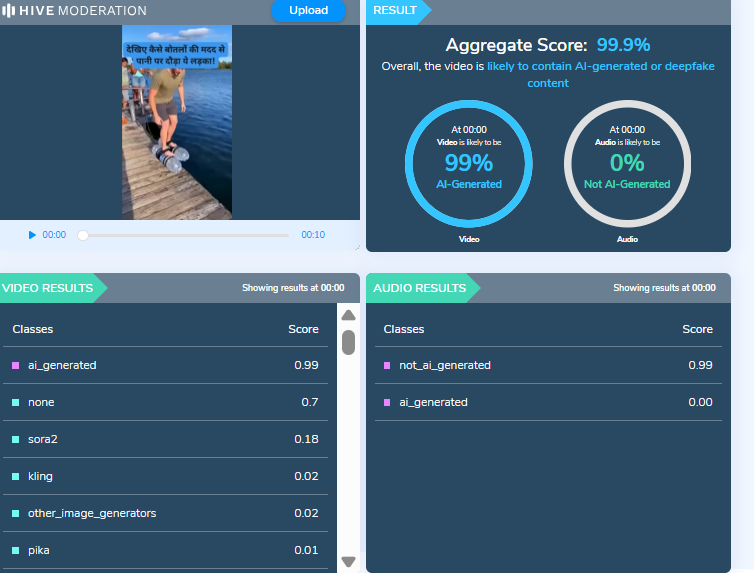
Further examination of the viral clip raised suspicions of audio manipulation. We analyzed the speech using AI detection tool Hive Moderation, which indicated a 99% probability that the speech was AI-generated.

Conclusion
Our research found that the viral claim is false. The video uses footage from PM Modi’s 2019 speech, while the original audio appears to have been replaced using AI-generated voice technology to spread a misleading claim about free gold distribution.

Executive Summary:
A viral video (archive link) claims General Upendra Dwivedi, Chief of Army Staff (COAS), admitted to losing six Air Force jets and 250 soldiers during clashes with Pakistan. Verification revealed the footage is from an IIT Madras speech, with no such statement made. AI detection confirmed parts of the audio were artificially generated.
Claim:
The claim in question is that General Upendra Dwivedi, Chief of Army Staff (COAS), admitted to losing six Indian Air Force jets and 250 soldiers during recent clashes with Pakistan.

Fact Check:
Upon conducting a reverse image search on key frames from the video, it was found that the original footage is from IIT Madras, where the Chief of Army Staff (COAS) was delivering a speech. The video is available on the official YouTube channel of ADGPI – Indian Army, published on 9 August 2025, with the description:
“Watch COAS address the faculty and students on ‘Operation Sindoor – A New Chapter in India’s Fight Against Terrorism,’ highlighting it as a calibrated, intelligence-led operation reflecting a doctrinal shift. On the occasion, he also focused on the major strides made in technology absorption and capability development by the Indian Army, while urging young minds to strive for excellence in their future endeavours.”
A review of the full speech revealed no reference to the destruction of six jets or the loss of 250 Army personnel. This indicates that the circulating claim is not supported by the original source and may contribute to the spread of misinformation.

Further using AI Detection tools like Hive Moderation we found that the voice is AI generated in between the lines.

Conclusion:
The claim is baseless. The video is a manipulated creation that combines genuine footage of General Dwivedi’s IIT Madras address with AI-generated audio to fabricate a false narrative. No credible source corroborates the alleged military losses.
- Claim: AI-Generated Audio Falsely Claims COAS Admitted to Loss of 6 Jets and 250 Soldiers
- Claimed On: Social Media
- Fact Check: False and Misleading